ROSE Coverage
Replacing a sprawling Excel tracker with a 2-click progress view.

Impact
2 clicks from Home to full progress view.
2-6 Hours of customer support work per week reduced by automating progress status and communication.
Business context
ROSE helps sustainability managers collect data
and comply with regulations.
The problem
Users had to compare multiple tabs to understand the progress of a reporting project.

Why this problem?
At the time, we were laying the groundwork for a new product direction, moving ROSE from consulting-led to product-led. To navigate the ambiguity of this shift, I collaborated with the CTO and team to define key outcomes that would guide our first steps.
One of the most important product goals was increasing customer independence and reducing dependency on consulting support.

The previous solution
Data collection progress was tracked outside the platform manually using a huge excel sheet, containing many datapoints and manually updated by Lorenzo and the customers.
We didn't have the appetite to build something this complex, so the challenge was how to arrive at a meaningful progress view without it containing this level of detail.

Shaping for our appetite
I led a shaping session with Lorenzo and Kseniia, to sketch a minimal solution to bet on that would fit our two weeks appetite from a technical perspective.
We understood we could build a minimal yet impactful progress view with 3 ingredients: Operation ID, the relevant data categories for it, and the collectors that exist for them.
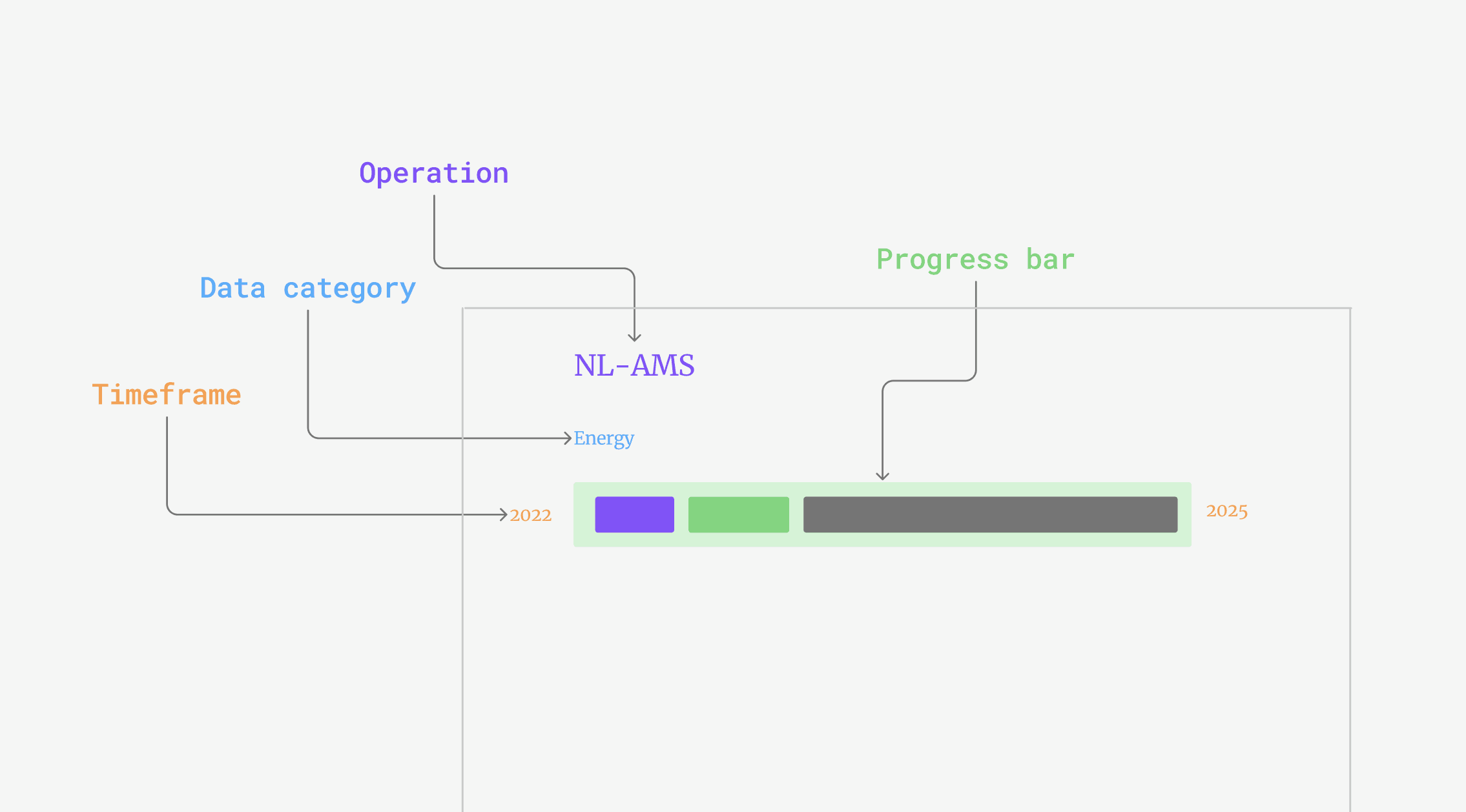
Choosing who to optimize for
Since we wanted to start with the minimal complexity,
we had to optimize for one out of two cases:
Operation based - best for local managers.
Resource based - best for top level view of global operations.
Since our target customers were managing their operation's data locally, we prioritized an operation based approach.

A new icon set
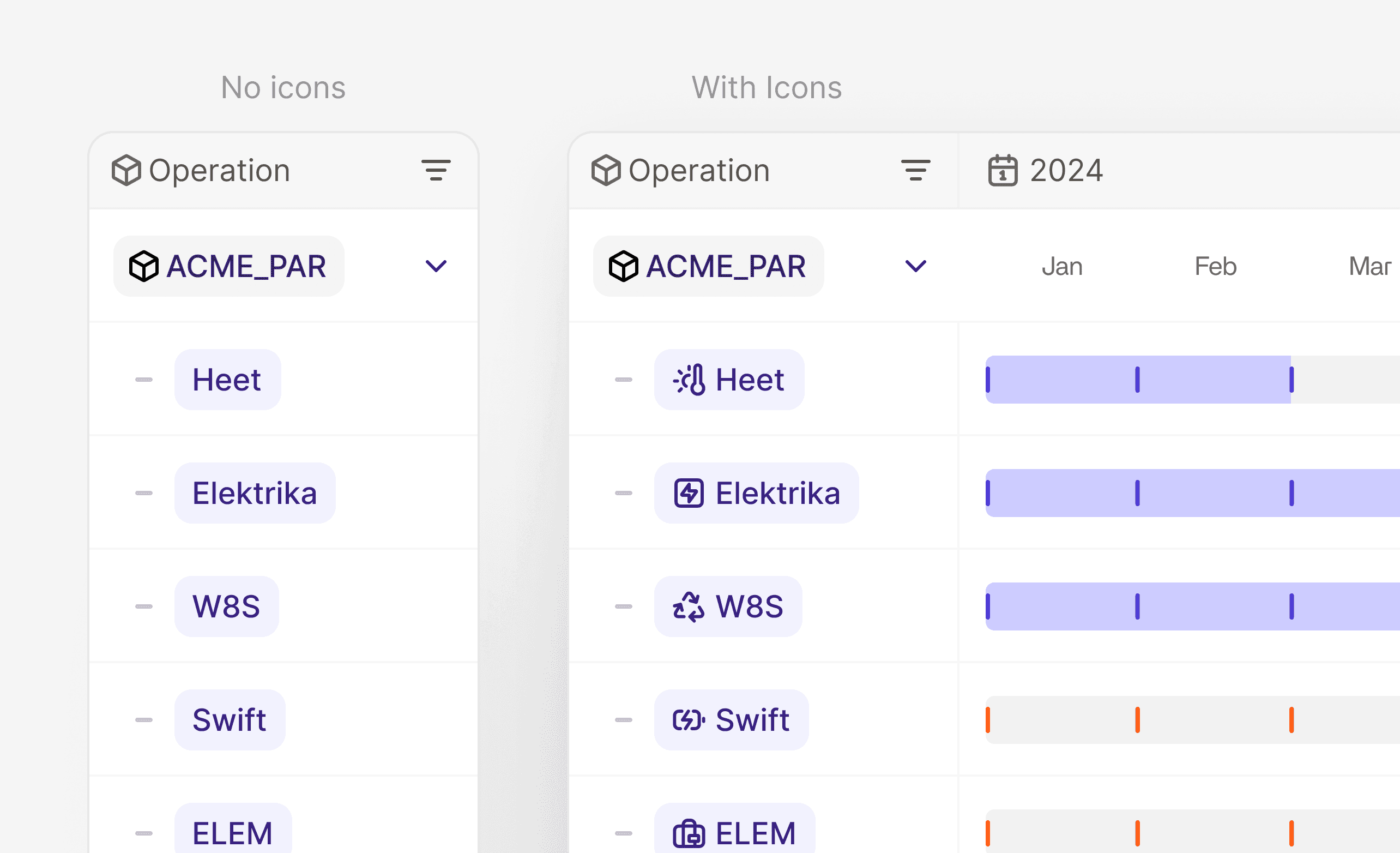
Since this view was data rich, I wanted to improve readability by creating a new icon set for each energy data type, allowing users to scan the view easily.

Communicating progress
Another exploration was for the progress bar's on-hover modals, starting with minimal ways of communicating what data is collected and what is missing.
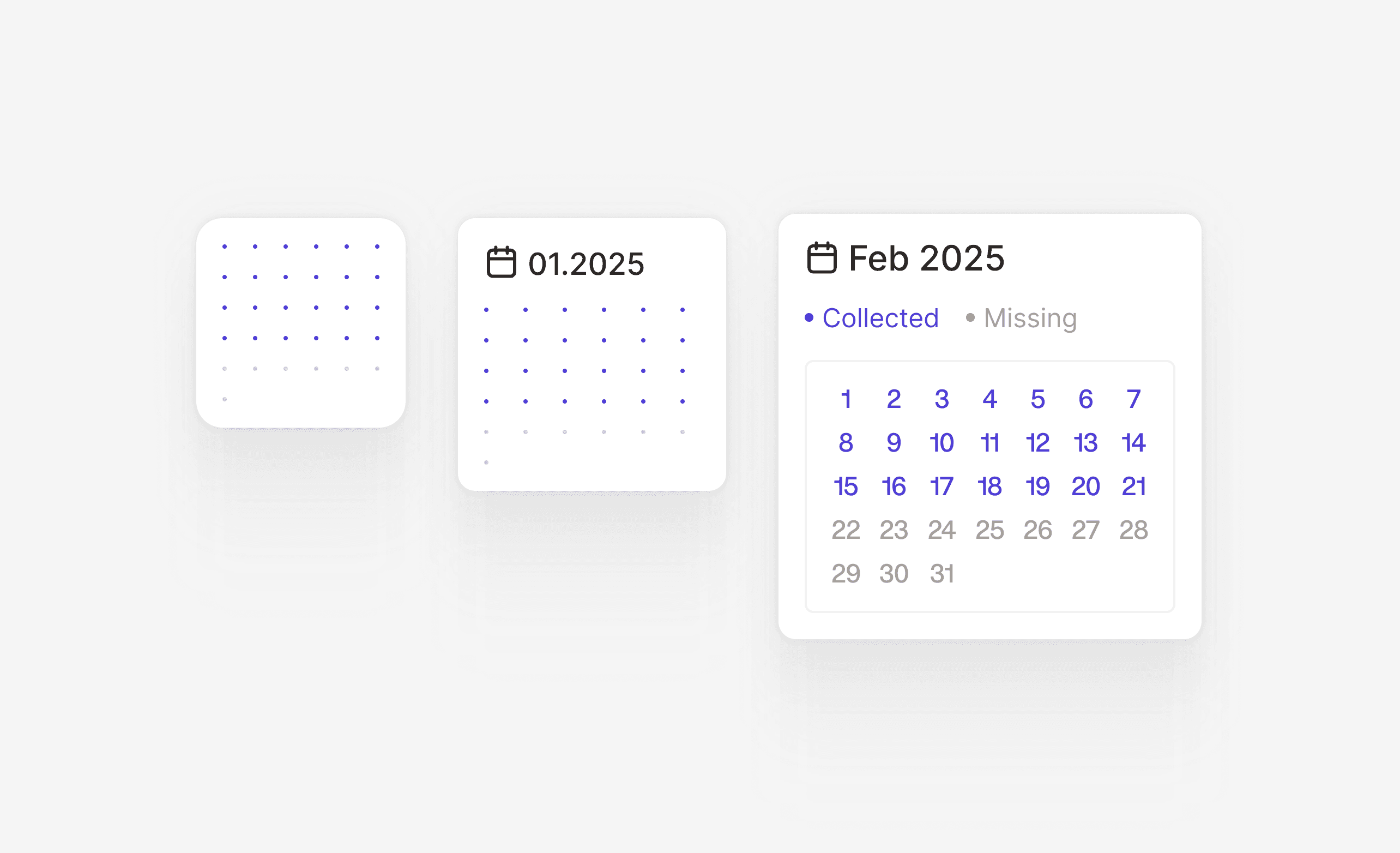
I decided to go with a component that would cover the whole timeframe, instead of a month based modal, to allow a full understanding of your progress in one interaction.
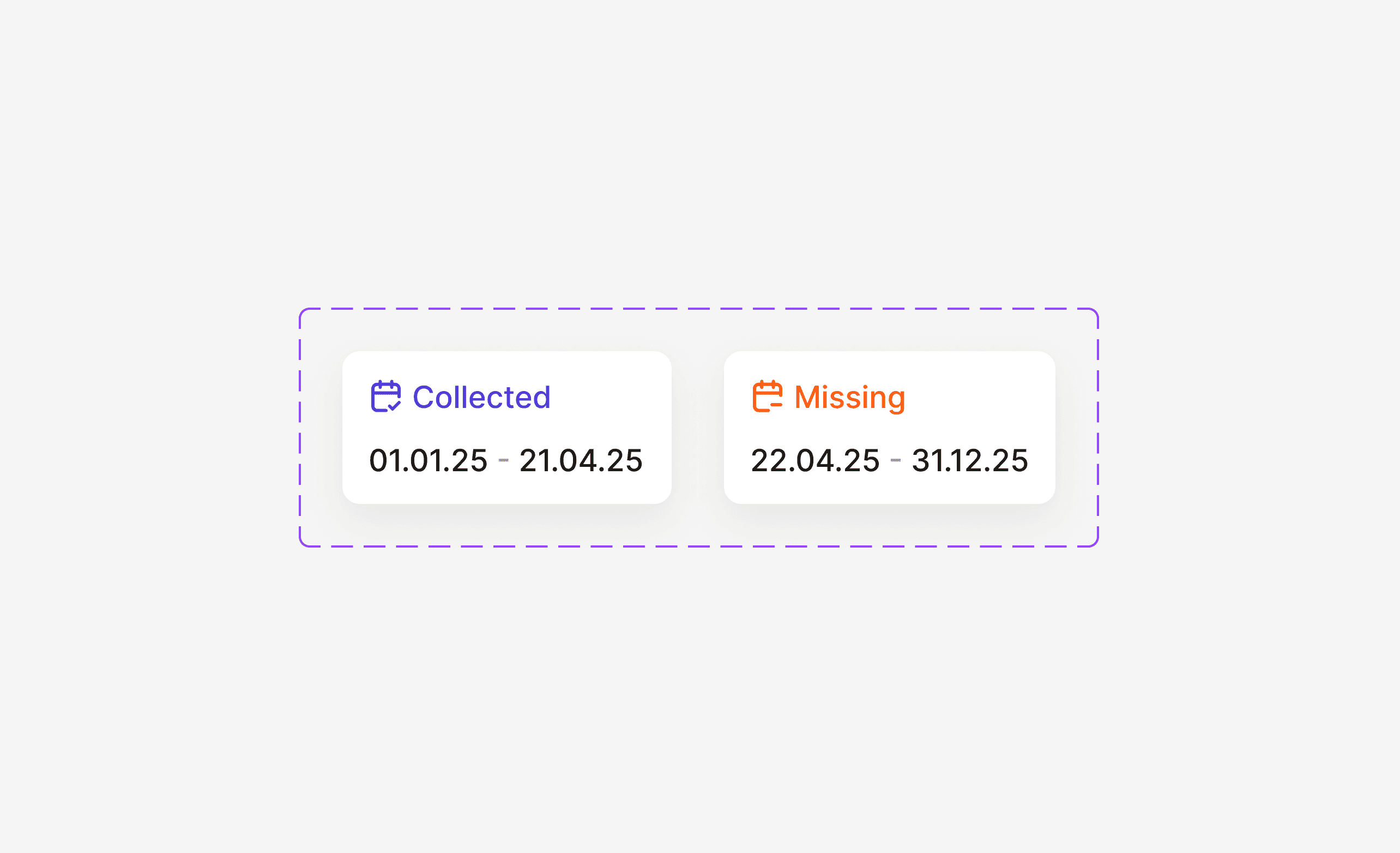
The Solution
Piecing everything together, I designed a coverage view anchored by operations, communicating completeness and calling for action using our new design system's color logic.

Learnings
After shipping, this coverage view became our go-to page for progress discussions, reducing hours of manual CS work each week.
It is used both by our team to check the progress of our customers and by the sustainability managers who own the data collection process every day.